
AI Mirror: AI Photo & Video
POLYVERSE INC.Photography
4.26.93K Reviews
- Version
- 7.1.4
- Installs
- 10.00M
- Age Rating
- Mature 17+
Screenshots

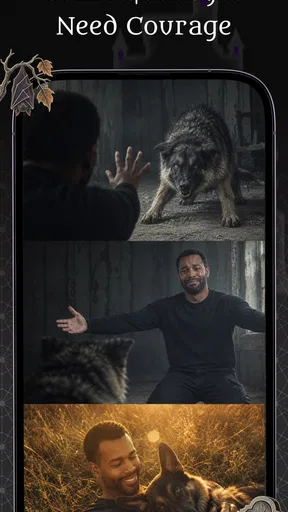
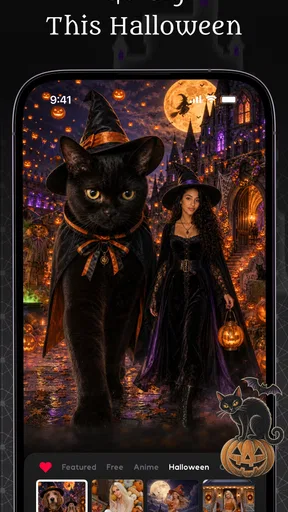
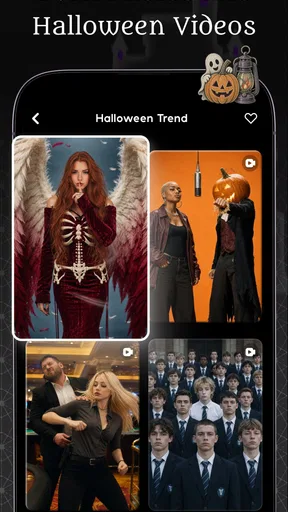
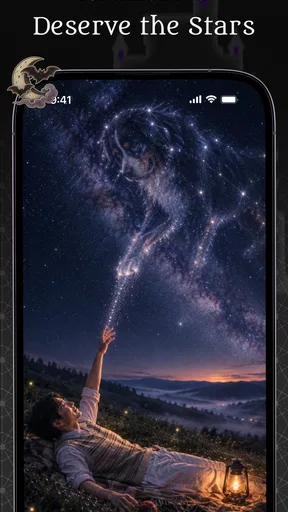
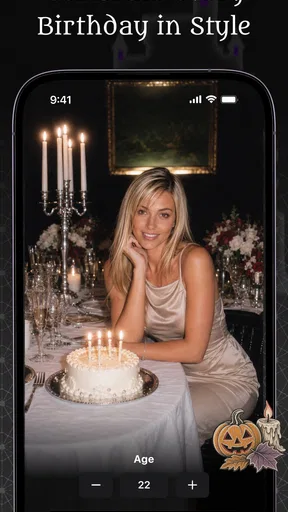
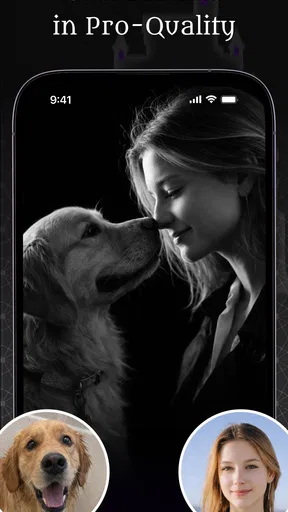
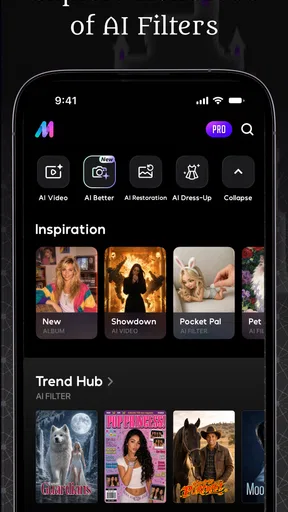
Our Review of AI Mirror: AI Photo & Video
 Analysis by Appyee
I opened AI Mirror: AI Photo & Video expecting a quick collection of novelty effects, but I found a photography app that is more interesting when treated as a creative toolbox rather than a replacement for a normal camera editor. Its focus is playful: anime-style transformations, AI dance videos, mirror effects, restoration, enhancement, and other ways to reshape existing photos or turn them into shareable visual experiments.
That combination gives it an immediate first-week appeal. There is very little learning pressure compared with a traditional editor full of curves, masks, layers, and manual retouching. I can start with a portrait, try a visual direction, and judge the result almost instantly. At the same time, the app is not equally useful for every kind of photography. Someone looking for careful color correction or a dependable professional workflow may find the AI-first approach too unpredictable.
POLYVERSE INC. is the developer behind this free photography app. It has reached over ten million installs and holds a 4.3 average from around 220 thousand ratings, which suggests that the concept has found a substantial audience. The app is marked Mature 17+, and its current version is 7.1.1. Those details matter because this is clearly aimed at expressive, sometimes unusual image-making rather than a simple family photo organizer.
What the first week feels like
My first useful discovery was that the app works best when I stop asking it to make a perfect portrait and instead give it a clear creative job. A straightforward selfie can become an anime-inspired image, a more dramatic profile picture, or the starting point for a short visual experiment. The result is often more entertaining when I choose a source photo with a clean face, good lighting, and a simple background.
That source-photo choice is more important here than it may seem. AI transformations have less visual information to untangle when the face is unobstructed and the subject is reasonably centered. Glasses, strong shadows, busy backgrounds, or several people in one frame can make the output feel less consistent. I now keep a small group of well-lit portraits in my gallery specifically for testing effects, rather than repeatedly submitting random screenshots.
The anime filter is the easiest entry point because its purpose is immediately understandable. It changes the overall character of a portrait instead of asking me to manually build a look. I enjoy it for profile images, themed messages, and casual posts, but I would not use every generated result as a serious likeness. The appeal is interpretation, not documentary accuracy.
The AI dance-video feature creates a different kind of reaction. A still image becomes a more performative piece, which is useful when I want to make friends laugh or add movement to a conversation without recording myself. It is also the feature most likely to feel impressive during the first few attempts. The trade-off is that this kind of effect is tied to trends and novelty, so its value depends heavily on whether I actually share or revisit the clips.
One practical question is whether the app is suitable for someone who has never edited a photo before. In my experience, yes, if the goal is experimentation. The guided nature of AI effects removes much of the technical barrier. However, beginners should still expect to compare several results and discard some of them. Automatic does not mean every output is immediately usable.
The restoration and enhancement tools are more grounded than the entertainment effects. They make the app relevant when I want to give an older or softer image a cleaner presentation. I see these tools as helpful for casual repairs and improvements, not as a guarantee that every damaged photograph will recover its original detail. If the source is extremely blurred, compressed, or heavily damaged, an AI result can look polished while still being an interpretation.
That distinction is easy to miss during the first week. A sharper-looking face may contain invented texture, and a restored edge may not represent what was truly in the original. For a sentimental image, I would keep the untouched version and treat the enhanced copy as an optional presentation version. This simple habit prevents the app from becoming the only keeper of an important memory.
The free entry point is another reason the first week is approachable. I can explore the basic experience without paying upfront, while optional in-app purchases range from under a dollar to nearly one hundred dollars per item. That is a wide span, so I would avoid tapping through offers casually. Before committing to a purchase, I would first decide which kind of output I will realistically make more than once.
The app’s minimum operating-system requirement is Android 7.0, so it is not restricted to only recent Android phones. Even so, the experience can vary with the device. AI image and video processing is naturally more demanding than opening a static photo, and waiting becomes more noticeable when I run several experiments in succession. I prefer to test a few ideas, save the worthwhile results, and stop rather than treating the app like an endless feed.
The difference between a fun test and a useful routine
During the first week, I would use a simple three-step workflow. I begin with one strong source image, generate only a few variations, and then save the best result with a meaningful filename or album location. Without that last step, the gallery quickly fills with near-duplicates, and the excitement of creation turns into cleanup.
A second useful trick is to compare outputs at normal viewing size instead of zooming in immediately. AI artifacts can look alarming when enlarged but disappear in a social post, while a strangely shaped eye or hand can remain obvious at any size. I judge the image in the place where I actually plan to use it: a profile picture, a message, a story, or a private album.
I also learned not to judge the entire app by the most spectacular demonstration. A dance clip may be memorable, but the restoration and enhancement tools can be more valuable when I have a real photo problem. Conversely, if I never create portraits or short visual posts, those tools may not justify keeping another app installed.
What remains valuable after the novelty
After the initial experiments, the strongest recurring value comes from having several different creative purposes in one place. I can use a portrait effect for a temporary profile image, an enhancement tool for an older snapshot, and a video transformation for a playful message. That variety is more durable than any single filter because my reason for opening the app can change from week to week.
Still, the app does not automatically become a monthly habit. Its long-term usefulness depends on whether I regularly handle visual projects that fit its strengths. People who post often, manage themed accounts, make invitations, or enjoy turning ordinary portraits into stylized images are more likely to return. People who take photos mainly to preserve events may use it intensely once and then forget it.
This is where it differs from a conventional photo editor. A standard editor earns its place through repeatable controls: crop, exposure, contrast, color, sharpening, and precise retouching. I open that kind of tool because I know exactly what correction I need. AI Mirror is more useful when I know the mood or transformation I want but do not want to construct it manually.
That difference also explains when another option is better. For product photography, consistent branding, detailed skin retouching, or a carefully matched series of images, I would choose an editor with predictable manual adjustments. For a quick anime portrait or an amusing animated result, the AI approach is faster and more expressive. Neither workflow replaces the other.
The app can also support a small content routine if I impose limits. For example, I might choose one theme for a week, create a handful of variations, and keep only the strongest two. This prevents the common mistake of publishing every generated image simply because it took effort to make. The tool is more valuable when it helps me select and refine an idea, not when it encourages unlimited output.
Another non-obvious use is preparing alternate versions of the same portrait for different contexts. I can keep a natural image for professional communication, a stylized version for a casual profile, and a more playful transformation for friends. I would not expect the app to preserve identity perfectly across every style, but comparing these versions helps me decide how much personality I want an image to communicate.
For older photos, I recommend a before-and-after folder rather than overwriting the original. This is especially important with restoration and enhancement. The improved copy may be easier to view on a modern screen, yet the original contains evidence of the photograph’s actual texture and imperfections. Keeping both turns the app into a presentation aid instead of a destructive archive.
Privacy-minded users will naturally want to think carefully before processing personal portraits. I would avoid uploading images containing sensitive documents, private backgrounds, or people who have not agreed to be transformed. Even when the creative result is harmless, the responsible workflow is to use images I am comfortable placing into an AI editing process and to remove unused exports from my gallery afterward.
The Mature 17+ label is another reason I would not treat this as a universal family photo tool. The app’s creative direction and user-generated possibilities make it better suited to adults who can make their own decisions about the images they create and share. I would be cautious about handing it to younger users without supervision, particularly when experimenting with portraits of real people.
Where the maintenance starts to show
The main maintenance burden is not technical skill; it is managing attention. AI tools invite repeated tapping because each variation promises to be better than the last. I can easily spend more time choosing among similar results than I would have spent making a simple manual edit. Setting a stopping rule, such as keeping the first convincing result, makes the experience healthier and faster.
Storage is another practical concern, especially when video experiments produce several exports. I now review the app’s output alongside my normal gallery cleanup and delete failed generations instead of letting them accumulate. This matters more for people who use the dance-video tools frequently than for someone who only edits occasional portraits.
Purchasing discipline is equally important. The free price makes exploration easy, but optional items can become expensive if I treat every attractive effect as essential. I would use the free experience long enough to identify a repeatable need before buying anything. If my use is limited to occasional jokes or profile experiments, paying repeatedly may not make sense.
Version 7.1.1 indicates that the app is actively maintained enough to have a current release in the experience I reviewed, but maintenance from the user’s side still means adapting to a changing creative tool. Interfaces, available effects, and the balance between free exploration and paid options can influence whether a feature remains part of my routine. I would revisit my own usage every few weeks rather than assuming every installed tool deserves permanent space.
Why fatigue arrives for some users
The first source of fatigue is sameness. Once I have seen several anime portraits or animated transformations, the surprise naturally weakens. The app can still be useful, but I need a specific purpose to return. Without one, browsing effects becomes a form of visual scrolling rather than photography.
The second is inconsistency. AI results can vary in ways that are difficult to control, and a transformation that works beautifully on one face may look awkward on another. This is not necessarily a defect in one particular attempt, but it does make the app less dependable than a manual editor. I would not build a deadline-sensitive project around getting one perfect generation.
There is also a creative fatigue that comes from losing too much personal input. A manual edit reflects my decisions about light, color, framing, and texture. An automatic transformation gives me speed and surprise, but sometimes the final image feels like a preset’s idea of my portrait rather than my own. When that happens, I switch back to a conventional editor for more control.
Video can intensify that problem. A moving result attracts attention, but it may be less versatile than a still image. A clip can be fun in a message and awkward elsewhere, while a good portrait can serve as a profile image, contact photo, or saved memory. I therefore treat the dance feature as an occasional social tool rather than the central reason to keep the app.
Another limitation is audience fit. If my friends or followers prefer natural photography, heavily transformed images may not communicate what I intend. The app is strongest when the recipient understands that the image is playful or stylized. It is weaker when I need authenticity, accurate appearance, or a consistent visual identity.
That is why I would skip it if my main goal were a serious camera replacement. It does not occupy the same role as an app built around shooting controls, catalog organization, or disciplined post-processing. I would also skip it if I dislike AI-generated interpretations on principle, because its central appeal depends on letting automated effects make substantial creative decisions.
On the other hand, I would recommend trying it to a friend who wants low-effort visual variety and is willing to curate the results. The best users are not those who accept every output; they are the ones who know when a transformation has produced a genuinely useful image and when it has only produced a novelty.
My long-term verdict
AI Mirror: AI Photo & Video earns lasting space only when I connect it to a recurring habit: creating occasional stylized portraits, rescuing older images, or making short visual jokes for people I know. Its lasting value is not that every effect stays exciting. It is that several distinct jobs—anime transformation, animated experimentation, restoration, and enhancement—can be handled within one photography app.
I appreciate the low barrier to entry and the way it turns a plain portrait into a starting point without demanding editing expertise. I also appreciate that it can be more imaginative than the usual slider-based alternatives. At its best, it helps me explore an idea I would not have bothered to build manually.
My reservations are just as clear. The outputs are not always predictable, the novelty can fade quickly, and the broad range of optional purchases means I need to watch my spending. The app also creates a gallery-management problem if I save every variation. These are manageable issues, but they mean the experience improves when I use it deliberately rather than compulsively.
For adults who enjoy expressive portraits and occasional AI video experiments, the free entry point makes trying it reasonable. The Mature 17+ rating should be taken seriously, and anyone processing personal photos should choose images carefully and preserve originals. People who need precision, consistency, or professional retouching will probably be happier with a traditional editor.
My recommendation is to keep it as a selective creative side tool, not as my only photo editor. I would install it when I want a fast visual transformation, keep it if those transformations become part of my regular sharing or memory workflow, and remove it if the first-week amusement never develops into a real use. That test is fair to the app: it acknowledges its genuine strengths while recognizing that novelty alone is not enough to earn permanent space on a phone.
Privacy and Permissions
See what permissions an app requests and how it handles your data.
- Photos/Media/Files
- read the contents of your USB storage, modify or delete the contents of your USB storage
- Storage
- read the contents of your USB storage, modify or delete the contents of your USB storage
- Camera
- take pictures and videos
- Microphone
- record audio
- Wi-Fi connection information
- view Wi-Fi connections
- Other
- view network connections, full network access, control vibration, prevent device from sleeping, Google Play license check, read Google service configuration
Verdict
Strengths of AI Mirror: AI Photo & Video
- Creates creative AI portraits with many visual styles.
- Simple interface makes photo editing accessible to beginners.
- Supports both photo and video transformations.
- Regularly adds new effects and themed templates.
- Results are easy to save and share on social platforms.
Limitations of AI Mirror: AI Photo & Video
- Many premium styles require a paid subscription.
- Processing can be slow for complex video effects.
- Some results may look inconsistent or overly artificial.
- High-quality exports may be limited on the free plan.
- Uploading photos raises privacy concerns for some users.
Other Releases by POLYVERSE INC.
View All
Spellai - AI Art Maker
Art & Design3.8

Bricks Royale-Brick Balls Game
Arcade4.6

Koi AI - AI Video Generator
Photography3.8
Similar Picks in This Category
View All
Google Photos
Google LLC4.4

Gallery
Google LLC4.2

Picsart AI Photo Editor, Video
PicsArt, Inc.3.9

B612 AI Photo&Video Editor
SNOW Corporation4.1

BeautyPlus-Selfie Photo Editor
PIXOCIAL TECHNOLOGY (SINGAPORE) PTE. LTD.4.5

Remini - AI Photo Enhancer
Bending Spoons4.1
Frequently Asked Questions
What is AI Mirror: AI Photo & Video, and what can I use it for?
AI Mirror: AI Photo & Video is an AI-powered editing app designed to transform photos and, in some versions, video content with artistic effects and face-editing tools. You can use it to create anime-style portraits, fantasy characters, cartoon images, avatar pictures, and other creative edits. The app is aimed at casual social-media creators, although the available tools and results may vary by device, region, and subscription plan.
Is AI Mirror: AI Photo & Video free to download and use?
The app can generally be downloaded for free, but not every feature is necessarily available without payment. Some advanced effects, high-quality exports, processing options, or exclusive styles may require a premium subscription or individual purchase. Before confirming a trial or subscription, carefully review the price, billing frequency, renewal terms, and cancellation instructions shown in the Google Play Store or Apple App Store.
Does AI Mirror require an internet connection to generate AI edits?
Most AI-powered transformations require an active internet connection because images may be uploaded to remote servers for processing. Editing tools that depend on cloud-based generation may not work reliably in airplane mode or with weak mobile data. Processing time can also vary depending on the effect, image resolution, server demand, and your connection speed, so Wi-Fi is recommended for larger uploads.
Are my photos and personal data safe when using AI Mirror?
Before uploading personal images, review the app’s privacy policy and the permissions requested on your device. AI photo services may process, store, or temporarily retain uploaded content to provide their features, and practices can change with updates. Avoid submitting highly sensitive photos or images of other people without permission. Also check whether the app offers deletion controls and understand how account, payment, and usage data are handled.
What kind of photos produce the best results in AI Mirror?
For more convincing results, use clear, well-lit photos in which the face is visible and not covered by sunglasses, masks, hair, or heavy shadows. Front-facing portraits with a simple background usually work better than blurry group photos or images with multiple faces. Results are created by AI and may occasionally look distorted, change facial details, or produce unexpected features, so several attempts may be needed.
